iPhone Virus: How an App Store App Drained Crypto Wallets
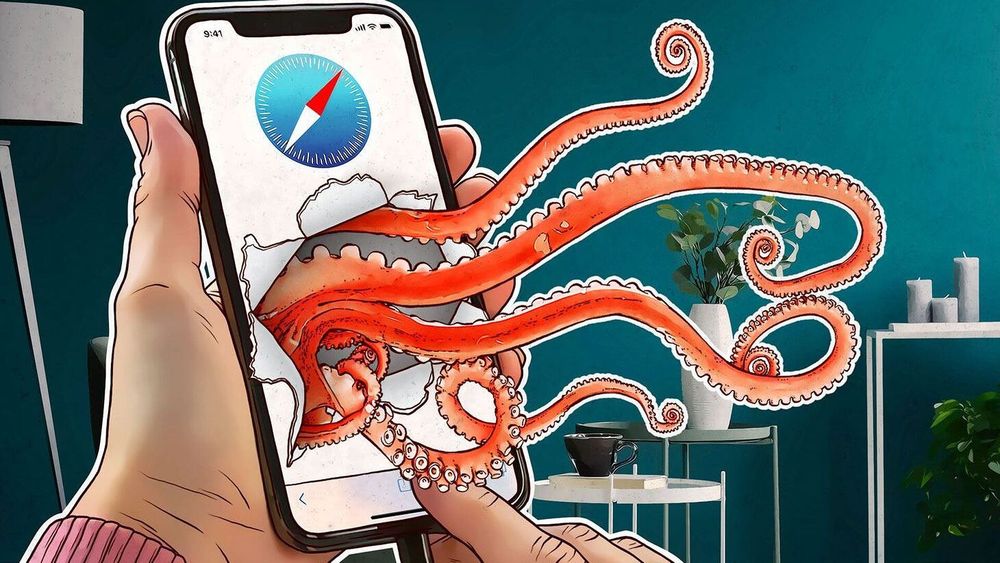
In September, researchers at SlowMist and the security team of the OKX exchange uncovered a scheme that shatters a widely held belief among iPhone users. FomoPeek, an app available on the official App Store, circumvented iOS protections, accessed data from MetaMask, Trust Wallet, and Apple Notes, and facilitated the theft of approximately $580,000 in USDT.
Below, we explore how this malware operated, the potential risk of an iPhone virus for typical users, the warning signs to watch for, how to check your phone, and steps to ensure your crypto remains secure from attackers.
What happened with FomoPeek
FomoPeek masqueraded as a benign tracker for large crypto wallets. Its description promised read-only monitoring, allowing users to follow "whale" movements on Ethereum, Solana, and Tron without signing anything.
Versions 1.1 and 1.2 were released on September 9 and 12. According to SlowMist, these versions concealed two malicious modules with innocent-sounding names: apptrace and libapptracecore. The modules received commands from a remote server, executed an iOS kernel exploit, bypassed the app sandbox, decrypted the Keychain, and gathered data from other apps on the device.
The investigation commenced after users reported losing funds. SlowMist and the OKX team traced about $580,000 in USDT to a single attacker address. On September 17, version 1.3 was released, removing the malicious components. In essence, the malware fulfilled its purpose and then FomoPeek "cleaned itself up" to appear harmless once more.
How the malware got past iOS security
iPhone security relies on the sandbox. Each app operates within an isolated space and cannot access other apps' files, with passwords and keys stored in the encrypted Keychain. Therefore, a traditional virus that spreads through a computer's system encounters a barrier on an iPhone.
FomoPeek overcame that barrier. The exploit took advantage of vulnerabilities in the iOS kernel: once it gained elevated privileges, the malicious module exited the sandbox and read data from 19 other apps. The list included the MetaMask and Trust Wallet crypto wallets as well as the built-in Notes app, where many people store their seed phrases.
The most concerning aspect of this story is the distribution channel. The malware reached users not through a dubious website but via the App Store, where every update undergoes Apple's review. The developers appear to have concealed the dangerous components behind remote configuration: during review, the app behaved appropriately, and the malicious functions were activated later by a server command.
Can iPhones get viruses?
A traditional virus that replicates from file to file is indeed almost unheard of on the iPhone. However, in everyday language, "virus" refers to any malicious software, which does exist for iOS. It comes in several forms.
- Malicious apps in the App Store. These are rare, but as FomoPeek demonstrated, they are not a myth.
- Spyware for targeted attacks. Pegasus, developed by NSO Group, is a well-known example that infected the iPhones of journalists and politicians without any action from the victim.
- Configuration profiles. These are installed under the guise of an "internet booster" or a corporate setting, enabling attackers to redirect your traffic.
- Jailbroken devices. Jailbreaking compromises iOS protections and provides malware with more opportunities to operate.
Phishing deserves separate mention. A Safari pop-up stating "Your iPhone is infected with a virus" is not a virus but a scam ad. Its goal is to persuade you to download a useless app or subscribe to a paid service.
Signs of a virus on your iPhone
Malware rarely announces itself, but there are indirect signs:
- the iPhone runs hot and drains its battery even though you barely use it;
- mobile data usage grows for no obvious reason;
- apps you did not install have appeared;
- Safari opens ad windows and unfamiliar websites;
- you are unexpectedly logged out of accounts, and codes you did not request arrive by email;
- funds have disappeared from a crypto wallet, or suspicious smart contract approvals have appeared.
One sign alone does not mean there is a virus. But if several add up, it is time to run a check.
How to check your iPhone for viruses
There are no scanners for iOS that see everything: the system does not let one app look inside another. So the check is done by hand.
- Check the list of installed apps. Delete anything you did not install yourself or do not remember installing. If you had FomoPeek version 1.1 or 1.2, treat the device as compromised.
- Check profiles. Go to Settings > General > VPN & Device Management. Remove any unfamiliar profile you did not knowingly install.
- Check your iOS version. Updates close discovered security holes, including in the kernel. Turn on automatic updates.
- Check battery and data usage. An app that burns battery and data in the background for no reason is a red flag.
- Check Safari. Revoke notification permissions for unfamiliar websites and remove spam calendar subscriptions.
- Run Safety Check. It lives in Settings > Privacy & Security and shows who has access to your data and devices.
- Check your Apple ID. The list of devices signed in to your account should contain nothing you do not recognize.
Once a month, check which apps have access to your camera, microphone, and photos. Before installing a new app, check the developer, the date it was first published, and the reviews. A brand-new "whale tracker" from an unknown company with a dozen ratings is exactly the profile FomoPeek was disguised as.
How to remove a virus from an iPhone
If you find a suspicious app, delete it and restart the phone. If the signs do not go away, the radical option remains: save your photos and documents, reset the iPhone to factory settings, and set it up as new rather than from an old backup. The backup may have preserved both the malware and a malicious profile.
Do not reach for "cleaner" apps from ads. Apps that promise to "remove a virus in a minute" have no access to other apps on iOS and are useless at best.
What to do if you installed FomoPeek
Deleting the app is not enough: the malicious module may already have read your keys and notes. The attackers were after crypto theft, so act in this order.
- Create a new crypto wallet with a new seed phrase. Ideally on another device you know is clean.
- Move all funds to it from MetaMask, Trust Wallet, and any other wallet apps that were on that iPhone. Treat the old seed phrase as known to the attackers.
- Change your passwords for email, Apple ID, and exchanges, especially if they were stored in Notes. This shuts the door on account takeovers.
- Revoke the approvals your addresses have granted to smart contracts. Dedicated token approval checkers let you do this on-chain.
- Update iOS, and only then reinstall the apps you need.
How to protect crypto on an iPhone
The main lesson from FomoPeek is that even the official store does not guarantee security, so the keys themselves need protecting. Here is what helps protect your savings if the next such app lands on your phone.
- Do not keep your seed phrase on your phone. Not in Notes, not in photos, not in the cloud. Only on paper or a metal plate kept somewhere safe.
- Keep large amounts on a hardware device. The keys never leave its chip, and an app on your phone cannot read them even with full access to the system. More in our guide to hardware wallet security.
- Install only the apps you need. Be especially careful with new "trackers," "analytics" tools, and "trading assistants" from unknown developers.
- Turn on Lockdown Mode if you are a likely target. This iOS feature disables parts of the system used in sophisticated attacks and is designed for people at elevated risk.
Similar threats exist on computers too: we wrote about crypto-stealing malware hidden in pirated films and about malicious browser extensions.
Do I need antivirus software for my iPhone?
A classic antivirus does not work on iOS the way it does on a computer: the system does not let one app scan others. Security apps in the App Store mostly check links and Wi-Fi networks. It is more effective to keep iOS up to date and be careful about what you install.
Does deleting a suspicious app help?
Deleting it stops further data collection but does not undo what the malware has already taken. If your seed phrase was exposed, move your funds to a new address.
Can I trust the App Store?
In most cases, yes: malicious apps get in rarely. But the FomoPeek case shows that Apple's review is not bulletproof, especially when dangerous features are switched on remotely after publication.
Crypto markets expert and head of content and marketing at EIDEX. Covers market structure, exchange infrastructure and cross-chain trading - turning on-chain data and market shifts into clear, actionable research for traders.