
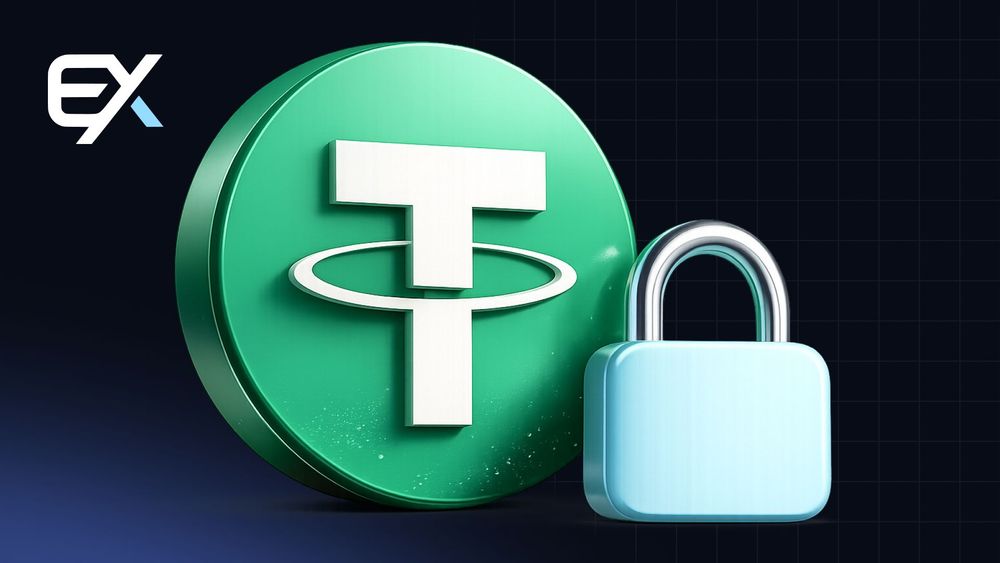
$131 Million USDT Qulf Ostida: Nima Uchun Tether Har Qanday Hamyonni Bloklashi Mumkin
Soʻnggi muzlatish noqulay haqiqatni eslatadi: hamyon butunlay sizniki boʻlsa ham, undagi mablagʻlar har doim ham daxlsiz boʻlmaydi. Keling, nima sodir boʻlganini va shu bilan birga USDT uchun hamyon qanday qurilganini va jamgʻarmalaringizni aslida nima himoya qilishini koʻrib chiqaylik. Axir, bu mavhum hisoblar haqida emas, balki juda aniq hamyonlardagi juda aniq summalar haqida.
Nima Sodir Boʻldi
Tether TRON tarmogʻida 131 million USDT saqlovchi toʻrtta hamyonni blokladi. Bu soʻrov AQSh Gʻaznachilik departamentidan kelgan - bu haqda agentlik rahbari Scott Bessent ochiq eʼlon qildi.
Bu harakat mavhum hisoblarga emas, balki katta balansga ega aniq manzillarga taʼsir qildi. Rasman, tangalar hech qayerga ketmagan, ammo ularning egalari ularni boshqara olmaydilar. Bloklangan hamyon tarmoqda mavjud boʻlishda davom etadi, ammo undan har qanday chiquvchi oʻtkazmalar avtomatik ravishda rad etiladi. Har bir hamyon balansida oʻn millionlab mablagʻ qoldi va ularni yechib olish endi imkonsiz.
Eron izi
Xorijiy aktivlarni nazorat qilish boshqarmasi (OFAC) ushbu toʻrtta manzilni Eron markaziy banki va Islom inqilobiy gvardiyasi korpusi bilan bogʻladi. Bloklash “Iqtisodiy gʻazab” dasturining bir qismi sifatida tasvirlangan boʻlib, uning maqsadi Eronning xalqaro moliyaviy tizimga, shu jumladan raqamli aktivlar orqali kirishini cheklashdir.
Bessent Vashington sanksiyalarni chetlab oʻtish, harbiy dasturlarni moliyalashtirish va Qoʻshma Shtatlar tomonidan terroristik deb belgilangan tashkilotlar faoliyatini qoʻllab-quvvatlash uchun kriptovalyutalardan foydalanishni cheklashda davom etishini vaʼda qildi.
Pul kimning relslaridan foydalangan
Specter jamoasi tahlilchilariga koʻra, bloklangan toʻrtta manzildan kelgan mablagʻlarning katta qismi Singapurning DTC Pay toʻlov provayderi va Lotin Amerikasining Bitso birjasi orqali oʻtgan.
Bu odatiy holat: kapitalni chiqarib yuborish uchun u qonuniy xizmatlar va birjalar orqali yoʻnaltiriladi, bu yerda yakuniy oluvchini kuzatish qiyinroq. Sxema odatda toʻlov zanjirini tahlil qilishni iloji boricha qiyinlashtirish uchun bir nechta bogʻlanishlarda quriladi.
Birinchi holat emas
Tether avval ham xuddi shu Tron tarmogʻidagi 131 ta manzildagi USDT'ni muzlatgan edi. Oʻshanda bu qaror OFAC ushbu hamyonlarni ISIS-K guruhi bilan aloqadorlikni sabab qilib koʻrsatib, sanksiyalar roʻyxatiga kiritganidan keyin qabul qilingan edi. Oʻsha hamyonlardagi mablagʻlarga kirish imkoniyati darhol yopilgan va egalari bu haqda keyinroq bilishgan.
Bu amaliyot odatiy holga aylangan va har bir yangi epizod bir xil savolni tugʻdiradi: hamyoningizdagi mablagʻlar ustidan qanchalik nazoratga egasiz?
Nima uchun muzlatish umuman mumkin?
USDT maʼlum bir kompaniya tomonidan chiqarilgan token boʻlib, uning smart contract'imanzilni blokirovka qilish funksiyasini oʻz ichiga oladi. Emitent istalgan manzilni qora roʻyxatga kiritish huquqiga ega, shundan soʻng undan tokenlarni olib chiqish imkonsiz boʻladi. Texnik jihatdan bu kompaniya tomonidan bitta tranzaksiya bilan amalga oshiriladi: yozuv smart-kontraktning blokirovka roʻyxatiga tushadi va barcha keyingi operatsiyalar muzlatiladi. Va tokenlar qayerda joylashganining ahamiyati yoʻq: telefoningizdagi ilovada, vositachi bilan yoki apparat hamyonida.
Aynan shuning uchun markazlashgan stabilkoinlar BTCdan tubdan farq qiladi: ularning egasi bor, u regulyatorlarga javob beradi va hokimiyat talabiga binoan kirishni cheklashi mumkin.
USDT uchun hamyon nima va u qanday ishlaydi
Saqlash mavzusida ekanmiz, asosiy tushunchalarni tushunib olishga arziydi. USDT hamyoni ichida tangalar boʻlgan seyf emas. Tokenlarning oʻzi har doim blockchainda qoladi, dastur esa faqat sizning balansingiz yozuvini ochadigan kalitlarni saqlaydi.
Hamyon kalitlar toʻplami kabi ishlaydi: u operatsiyalarni imzolaydi va balansni koʻrsatadi, lekin u jismonan hech narsani ushlab turmaydi. Balansingiz yozuvi blockchainda yashaydi, aynan shuning uchun unga kirish oʻrnatilgan dastur orqali emas, balki kalitlar orqali aniqlanadi. Toʻgʻrirogʻini aytganda, hamyon ichida bitta ham tanga yoʻq - u yerda faqat kalitlar saqlanadi. Shuning uchun mablagʻlarni yangi qurilmaga oʻtkazish oddiy: shunchaki hamyonni zaxira nusxadan tiklang va balans qayta paydo boʻladi.
Kustodial variant: Qulay, lekin sizniki emas
Kustodial hamyon - bu vositachi bilan hisob: birja, ayirboshlovchi yoki ilova. Kompaniya kalitlarni ushlab turadi, siz esa faqat login va parolga ega boʻlasiz.
Afzalliklari aniq: soddalik, hisobni tiklash, qoʻllab-quvvatlash. Bitta kamchiligi bor, ammo jiddiy - saqlovchi xizmat aktivlarni samarali nazorat qiladi va agar sizning hisobingiz bloklansa, siz hech narsasiz qolasiz. Rasman hisob sizniki; amalda kompaniya uni boshqaradi va bunday hamyondagi mablagʻlar istalgan vaqtda foydalanish imkoniyatidan mahrum boʻlishi mumkin.
Non-Custodial variant: Kalitlar faqat sizniki
Bu yerda aksincha: ilova toʻgʻridan-toʻgʻri qurilmangizda shaxsiy kalitni yaratadi va undan sizdan boshqa hech kim foydalana olmaydi. Bunday hamyon roʻyxatdan oʻtishni talab qilmaydi va kompaniyaning qarorlariga bogʻliq emas.
Buning salbiy tomoni toʻliq javobgarlikdir. Agar siz kirish huquqingizni va zaxira nusxangizni yoʻqotsangiz, pulni ham yoʻqotasiz: tiklash uchun murojaat qiladigan joy yoʻq. Bu koʻpincha katta miqdordagi mablagʻlarni uzoq muddatli saqlash uchun tavsiya etiladigan hamyon turidir. Bunday hamyonda siz oʻzingizning bankingizsiz: hech kim hujjatlarni soʻramaydi yoki boshqa birovning buyrugʻi bilan kirishni cheklamaydi.
Shaxsiy kalit sizning pulingizdir
Asosiy qoida shunday: shaxsiy kalitga ega boʻlgan kishi tangalarga egalik qiladi. Kalit har bir operatsiyani imzolash uchun ishlatiladigan uzun belgilar qatoridir.
Bu qatorni hech kimga bermang. Shaxsiy kalitingizga kirish huquqini qoʻlga kiritgan har qanday kishi hamyonni bir zumda boʻshatishi mumkin va oʻtkazmani ortga qaytarib boʻlmaydi. Ishonchli hamyon hech qachon kalitni aniq soʻrovsiz koʻrsatmaydi, uchinchi tomon serverlariga yuborish haqida gapirmasa ham boʻladi. Kalitni yoʻqotsangiz, hamyonga kirish huquqini yoʻqotasiz: hech qanday qoʻllab-quvvatlash jamoasi uni tiklay olmaydi.
Seed Phrase: Parol oʻrniga oʻn ikki soʻz
Uzun kalitni eslab qolish noqulay, shuning uchun hamyonlar seed phrase - 12 yoki 24 soʻzdan iborat toʻplamni beradi. Barcha kalitlaringiz va manzillaringiz undan matematik tarzda olinadi.
Shundan oddiy xulosa kelib chiqadi: seed phrase barcha mablagʻlaringizga kirish imkoniyatini beradi. Firibgarlar aynan shuni ovlaydilar, texnik yordam yoki ilova yangilanishi niqobi ostida. Haqiqiy xizmat hech qachon bu soʻzlarni soʻramaydi. Har qanday hamyonni seed phrase orqali tiklash mumkin: yangi ilovaga soʻzlarni kiriting va manzillar balans bilan birga qaytadi. Va sizning oʻn ikki soʻzingizni olgan har qanday kishi hamyonning ichidagi narsalarni soniyalarda boʻshatadi.
Zaxira nusxalar: Kirishni qanday yoʻqotmaslik kerak
Zaxira nusxa yaratish qoidalari oddiy. Seed phrase'ni qogʻozga yozing yoki undan ham yaxshisi metall plastinkaga oʻyib yozing - u ham olovdan, ham suvdan omon qoladi.
Hech qanday holatda seed phrase'ni telefoningiz eslatmalarida, bulutda yoki chatda saqlamasligingiz kerak. Ikki nusxa qiling va ularni turli xavfsiz joylarda saqlang. Nusxani oldindan sinab koʻring: zaxira qurilmada kirishni tiklang va hamyon balansi toʻgʻri koʻrsatilishiga ishonch hosil qiling.
Manzillar, Tarmoqlar va Tranzaksiyalar
Xuddi shu token turli tarmoqlarda mavjud va Tron manzili Ethereum uchun ishlamaydi. Yechib olishda notoʻgʻri tarmoqni tanlasangiz, tranzaksiyalar yoʻqoladi, mablagʻlar esa ehtimol abadiy yoʻqoladi.
TRON tarmogʻidagi hamyon manzili T harfi bilan boshlanadi - bu qulay vizual ishora. Har doim qabul qiluvchining manzilini toʻliq tekshiring, nafaqat birinchi bir nechta belgilarini: zararli dasturlar uni buferingizda almashtirishi mumkin. Yuborishdan oldin, uni hamyondagi manzil bilan belgi boʻyicha solishtiring. Blokcheyndagi barcha tranzaksiyalar qaytarilmasdir va xatoni bekor qilib boʻlmaydi.
USDT uchun hamyonni qanday sozlash kerak
Qadamlar oddiy. Oʻzingizning saqlash joyingizni yaratish uchun ilovani faqat rasmiy veb-saytdan yuklab oling, yangi hamyon yarating, seed phrase’ni oflayn saqlang va uni tekshiring, soʻngra kichik sinov miqdorini yuboring.
Tayyor hamyon sizga depozitlar uchun manzilni darhol koʻrsatadi. Birinchi katta oʻtkazmadan oldin, tanlangan tarmoq ham joʻnatuvchi, ham qabul qiluvchi tomonda mos kelishiga toʻliq ishonch hosil qiling. Va hech qachon messenjerlardagi havolalar orqali hamyon yaratmang: soxta ilovalar ishonchli koʻrinadi.
Toʻgʻri variantni qanday tanlash kerak
Hamyonni qanday tanlash maqsadlaringizga bogʻliq. Faol savdo uchun mablagʻlaringizning bir qismini vositachi bilan saqlash osonroq; uzoq muddatli saqlash uchun apparat qurilmasi; kundalik xarajatlar uchun mobil ilova.
Ochiq kodga, ishlab chiquvchining obroʻsiga, sizga kerak boʻlgan tarmoqlarni qoʻllab-quvvatlashiga va yangilanishlarning mavjudligiga eʼtibor bering. Chiroyli interfeysga ega kam maʼlum ilovalarni quvmang. Bu yerda universal javob yoʻq: tajribali foydalanuvchilar odatda turli maqsadlar uchun bir nechta hamyonlarni saqlaydilar va hamma narsani bitta hamyonda saqlamaydilar.
Oʻzingizning hamyoningiz sizni muzlatishdan himoya qiladimi?
Bu yerda halol boʻlish muhim: yoʻq. Hatto non-custodial hamyon ham sizni USDT blokirovkasidan qutqarmaydi, chunki qora roʻyxat ilova darajasida emas, balki smart-kontrakt darajasida ishlaydi.
Self-custody boshqa narsalardan himoya qiladi - vositachining bankrotligi, xizmatning buzilishi va hisob raqamlarining muzlatilishi. Ammo agar emitent manzilni bloklash roʻyxatiga qoʻshgan boʻlsa, tokenlar har qanday hamyonda foydalanish imkonsiz boʻlib qoladi. Blok kontrakt darajasida ishga tushadi, shuning uchun hech qanday ilova va hamyon sozlamalari sizni undan qutqara olmaydi.
Xulosa
131 million USDT ning muzlatilishi nosozlik emas, balki markazlashtirilgan tokenga xos standart funksiyadir. Siz undan foydalanishingiz mumkin, ammo shuni tushunishingiz kerak: tokenda emitent bor, emitent esa regulyatorlar oldida majburiyatlarga ega.
Shu sababli amaliy xulosa. Hamyon kalitlaringizni oʻzingizda saqlang, seed phrase ni himoya qiling, manzillar va tarmoqlarni tekshiring va mablagʻlaringizni turli hamyonlarga taqsimlang. Hamyon ishchi vosita boʻlib, u ongli tanlovga loyiqdir. Shunda bloklar haqidagi har qanday yangilik siz uchun shunchaki yangilik boʻladi, shaxsiy falokat emas.
Nima uchun Tether 131 million dollarlik USDT ni muzlatdi?
Tether AQSH Gʻaznachilik departamenti soʻroviga binoan Tron tarmogʻida 131 million USDT saqlovchi toʻrtta hamyonni blokladi. OFAC manzillarni Eron markaziy banki va Islom inqilobiy gvardiyasi korpusi bilan bogʻladi va blok Eronning xalqaro moliyaviy tizimga kirishini cheklashga qaratilgan "Iqtisodiy gʻazab" dasturining bir qismi sifatida tasvirlangan.
Tether hamyonni qanday qilib bloklashi mumkin?
USDT maʼlum bir kompaniya tomonidan chiqariladi va uning aqlli shartnomasi manzillarni blokirovka qilish funksiyasini oʻz ichiga oladi. Emitent bitta tranzaksiya bilan manzilni qora roʻyxatga qoʻshadi, shundan soʻng har qanday chiquvchi oʻtkazmalar avtomatik ravishda rad etiladi. Tokenlar qayerda joylashganligining ahamiyati yoʻq - mobil ilovada, vositachi bilan yoki apparat hamyonida.
No-custodial hamyon meni USDT muzlatilishidan himoya qila oladimi?
Yoʻq. Qora roʻyxat ilova darajasida emas, balki aqlli shartnoma darajasida ishlaydi, shuning uchun bloklangan tokenlar har qanday hamyonda foydalanish imkoniyatiga ega boʻlmaydi. Oʻz-oʻzini saqlash boshqa xavflardan himoya qiladi: vositachining bankrotligi, xizmatning buzilishi va hisobni muzlatishdan - ammo emitentning bloklash roʻyxatidan emas.
Custodial va no-custodial hamyon oʻrtasidagi farq nima?
Custodial hamyon - bu vositachi bilan hisob - kompaniya kalitlarni saqlaydi va siz login va parolga ega boʻlasiz; bu oddiy va tiklanishi mumkin, ammo xizmat aktivlarni samarali nazorat qiladi. No-custodial hamyon sizning qurilmangizda shaxsiy kalitni yaratadi va boshqa hech kim unga kira olmaydi, ammo kalit va zaxira nusxasini yoʻqotish pulni yoʻqotishni anglatadi.
USDT jamgʻarmalarimni qanday himoya qila olaman?
Kalitlaringizni oʻzingizda saqlang va hech qachon shaxsiy kalitingizni yoki seed-frazani baham koʻrmang - haqiqiy xizmat ularni hech qachon soʻramaydi. Seed-frazani qogʻozga yozing yoki metallga oʻyib yozing, ikki nusxasini turli joylarda saqlang, qabul qiluvchi manzillarni harfma-harf tekshiring, tarmoq ikkala tomonda ham mos kelishiga ishonch hosil qiling va mablagʻlarni bir nechta hamyonlarga taqsimlang.
EIDEX kripto bozorlari bo‘yicha eksperti va kontent hamda marketing bo‘limi boshlig‘i. Bozor tuzilmasi, birja infratuzilmasi va cross-chain savdo haqida yozadi - on-chain ma’lumotlar va bozor o‘zgarishlarini treyderlar uchun aniq va amaliy tahlilga aylantiradi.